
1、 Log in your account first.
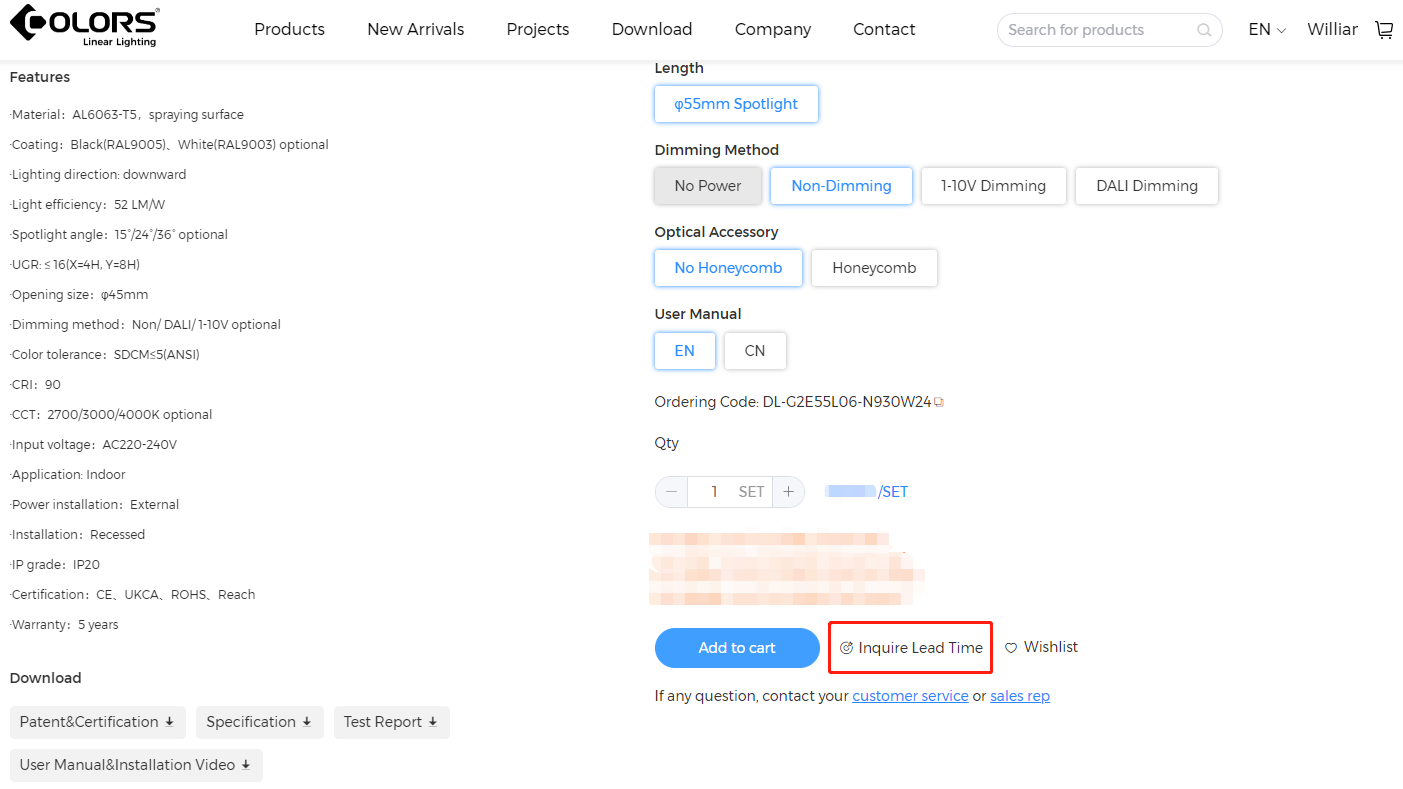
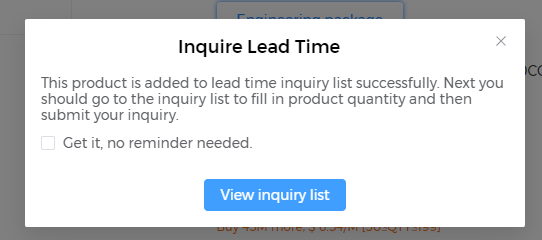
2、 Complete the selection of all parameters on the product details page, click the "Inquire lead time" to add it to the inquiry list.
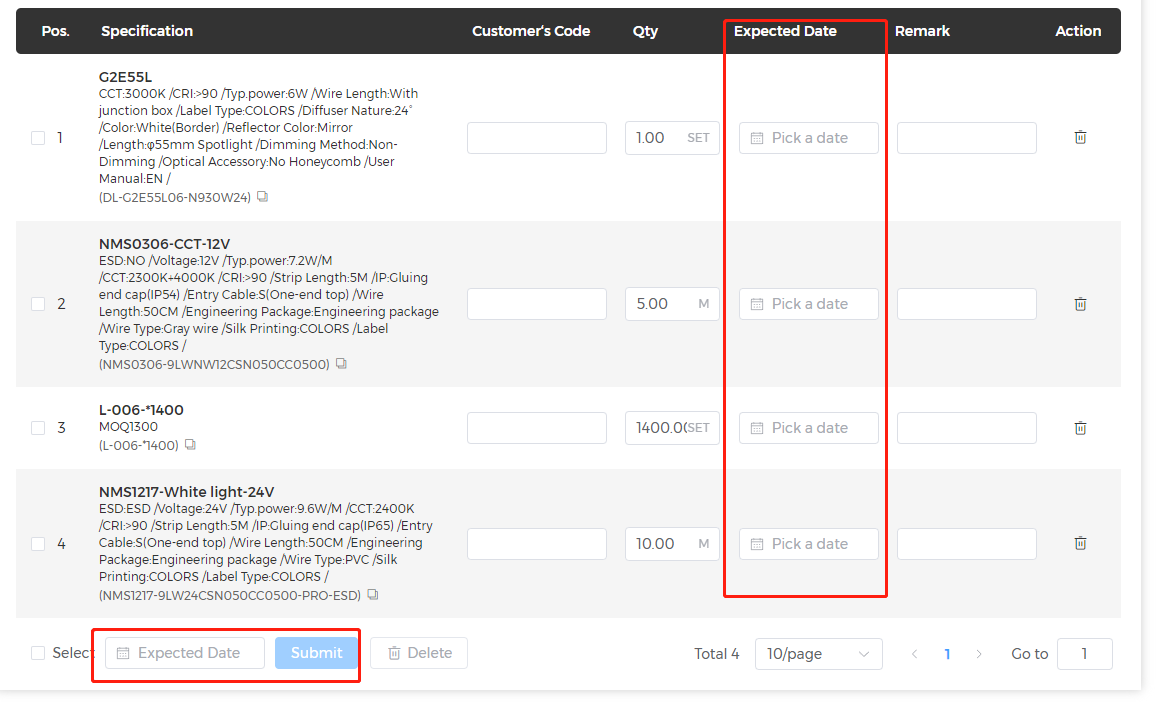
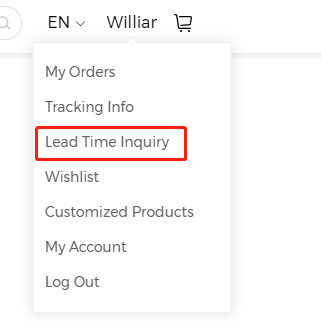
3、Click "Lead Time" at the top menu view the inquiry list, fill in the expected delivery time, quantity, model remarks, etc. You can also batch select and submit for the same date.
4、COLORS will reply with delivery time information within 1 working day and notify you by email. Please check your email inbox.
5、View the replied delivery time in the Personal Center - Inquiry List under the "complete" tab ("To be sumit" represents the inquiry data that has not been submitted, "Processing" represents the
inquiry data that is being processed, "Complete" represents the inquiry data that has already received a reply).
6、 You can also batch select products in the shopping cart, click the "Inquiry lead time" to add them to the inquiry list.
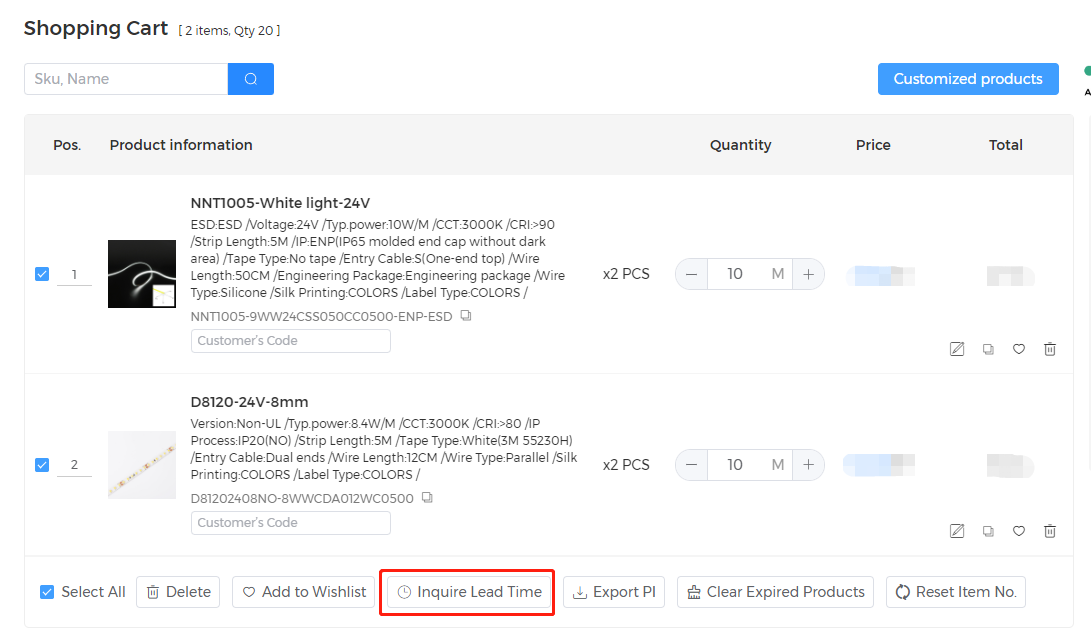
7、 It supports adding products from inquiry list to shopping cart directly.
8、If the inquiry is successful and a purchase is made within 3 days, the expected delivery date of the latest item in the inquiry list will automatically be set as the expected delivery date for the
current order. There is no need to fill it out again (counting from the time of inquiry reply).